Particle field
The particle scene from my home page as a live WebGL demo, with controls for density, colour and motion.
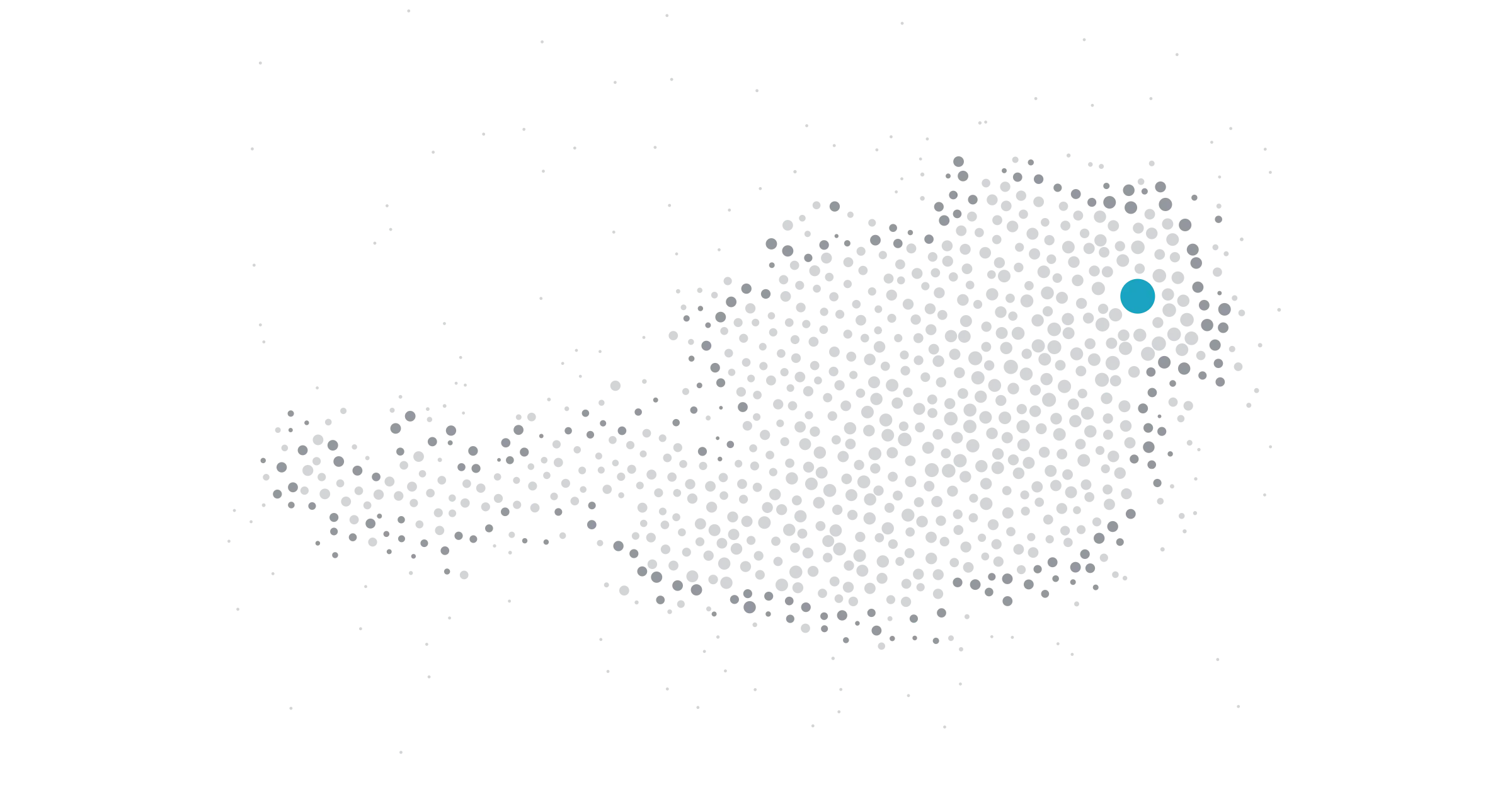
Live particle field: small dots form a map of Austria whose edge trails off into loose dots, and one large accent dot marks Vienna, with the dots getting smaller towards the west. A mouse or pen pushes the dots gently aside. The controls change how many dots there are, their colours and how much they move.
What it is
The particle field from the top of my home page, as a demo you can play with. The dots draw a map of Austria whose edge trails off into loose dots, and one large accent dot marks Vienna, where I work. The dots are biggest around it and get smaller towards the west. Move a mouse or pen over it and the dots make room.
The controls change the density, the colours and the motion. “Still” stops the animation completely. If your system asks for reduced motion, the demo waits for you to start it, and then it starts still.
Why
I wanted a hero that feels alive without being loud, and that never gets in the way of the page. A map of Austria says where I am without a photo or a pin icon. The same scene had to work here, with controls, without a second copy of the code.
It is also a test of how cheap a WebGL scene can be. A visitor should get the text first, a picture right after, and the motion only if their device can afford it.
What I learned
- The first frame matters most. The scene starts from exactly the positions of the poster on the home page, so the switch from picture to live scene is invisible there. Motion eases in after that.
- Falling back is the main feature. Without WebGL 2, with only a software renderer, with data saver on or on a weak device, the still image stays and a short note says why.
- Measuring beats guessing. The scene watches its own frame times. If frames get slow it renders at a lower resolution first, and if that’s still too slow it stops and shows the still image.
- Colour presets are better than a colour picker here. Each palette uses colours from the site’s design tokens, so it works in the light and the dark theme, and the dots never vanish into the background.
Tech
- three.js with a single draw call: all dots are one
Pointsobject with a small custom shader. The scene code is shared with the home page, not copied. - three.js loads only when the demo is about to run, as its own file of about 125 KB (gzip). The page itself stays small.
- The pixel ratio is capped at 2. The animation pauses when the demo is off screen, when the tab is in the background, and while “Still” is chosen. Leaving the page frees the graphics memory.
- The controls are native form elements: a slider and two groups of radio buttons. They change the running scene directly, without restarting it.
- The still image and the preview are rendered from the scene itself, in a headless browser, at a fixed seed.